Service card · Network & access
A Tailscale subnet router for the people who cannot install WireGuard
WireGuard is the household's own tunnel and it is better in every way that matters to the person who set it up. It is also useless to a family member who cannot add a port forward or install a client profile on a locked-down work laptop. The subnet router is the concession: one node that advertises the whole LAN to a tailnet, so one remote person can reach Jellyfin without anyone changing a router setting.
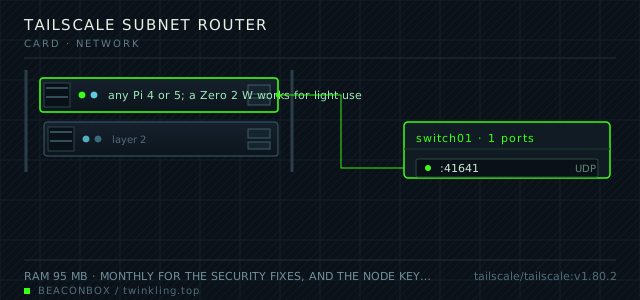
| image | tailscale/tailscale:v1.80.2 |
|---|---|
| host ports | :41641/udp |
| volume path | /srv/homelab/tailscale/state |
| RAM | 95 MB |
| CPU share | 0.30 vCPU (cpus: "0.30") |
| update cadence | monthly for the security fixes, and the node key expires after a hundred and eighty days unless expiry is disabled in the admin console |
| arm64 | arm64 native; the userspace networking mode is not used here because the kernel mode performs far better on ARM |
| host | container | proto | exposed | used for |
|---|---|---|---|---|
| :41641 | 41641 | udp | LAN only | WireGuard-based transport, outbound only; nothing is forwarded at the router for this |
Deployment steps
Create a tagged, single-use auth key in the admin console
A reusable key is the one that gets copied into a script and then into a repository. Single-use plus a tag means the node arrives already scoped by the tailnet ACL.
run # admin console -> Settings -> Keys -> Generate auth key # reusable: off ephemeral: off tags: tag:rack echo "TS_AUTHKEY=tskey-auth-..." >> /srv/homelab/.envStart the container and approve the advertised route
An unapproved route silently does nothing: the node shows as connected and the subnet is unreachable, with no error anywhere except the admin console.
run sysctl net.ipv4.ip_forward # must be 1 on the host for a subnet router cd /srv/homelab/tailscale && docker compose up -d docker exec tailscale tailscale statusDisable key expiry for this node specifically
A node in a cupboard that nobody looks at will silently disappear from the tailnet after a hundred and eighty days unless expiry is turned off. This is a per-node setting.
run # admin console -> Machines -> this node -> ... -> Disable key expiry docker exec tailscale tailscale status --json | grep -i keyexpiry
Two tunnels, and why both
The household uses WireGuard because it is under our control, it has no coordination server, and the config lives in a git repository. The subnet router exists for exactly one person: a family member whose work laptop allows Tailscale and nothing else, and who should be able to reach the photo library without a support call.
Running both is not redundancy for its own sake. They answer different questions: WireGuard answers "how do I get to my rack", Tailscale answers "how does someone else get to it without me doing anything".
| WireGuard | Tailscale | |
|---|---|---|
| who sets it up | the person running the rack | the person who wants access |
| third party in the path | none | a coordination server, not the data path |
| works behind carrier NAT | no | yes |
| configuration cost per new device | a new peer and a QR code | none |
Advertised routes are the whole feature
A subnet router advertises the LAN's CIDR block to the tailnet, and every other device in the tailnet can then reach 192.168.10.20 without anything being installed on it. That is what makes the whole rack reachable with one node's worth of configuration.
The routes must be approved in the admin console by hand. That is a good default: a compromised node cannot silently advertise a different subnet and route traffic through itself.
# on the Pi, confirm what is being advertised
docker exec tailscale tailscale status
docker exec tailscale tailscale ip -4
docker exec tailscale tailscale debug prefs | grep -i route
The exit node question
Advertising this node as an exit node lets a tailnet device route all its traffic through the house. It is useful for exactly one scenario: someone on hotel wifi who wants their traffic to leave from a familiar address.
It is also the setting with the most potential for annoyance, because the home upload bandwidth becomes the ceiling for everything that device does. It is advertised here and used about twice a year.
Key expiry is the trap
Tailscale node keys expire after a hundred and eighty days by default, and when they do the node disappears from the tailnet silently until someone logs in to re-authenticate. For a node in a cupboard that nobody looks at, that is a support call from a relative in five months.
Disable key expiry for this node specifically in the admin console. It is a per-node setting and it is the difference between a service and a recurring chore.
# admin console -> Machines -> this node -> ... -> Disable key expiry
# then confirm from the Pi:
docker exec tailscale tailscale status --json | grep -i keyexpiry
compose file
Drop the whole file at /srv/homelab/tailscale-subnet-router/compose.yaml. Tags are pinned, never latest: rolling back on a Pi is far more work than upgrading.
services:
  tailscale:
    image: tailscale/tailscale:v1.80.2
    container_name: tailscale
    restart: unless-stopped
    environment:
      TZ: Asia/Shanghai
      TS_AUTHKEY: ${TS_AUTHKEY}
      TS_STATE_DIR: /var/lib/tailscale
      TS_ROUTES: 192.168.10.0/24
      TS_EXTRA_ARGS: --advertise-exit-node --advertise-routes=192.168.10.0/24
      TS_USERSPACE: "false"
    volumes:
      - /srv/homelab/tailscale/state:/var/lib/tailscale
      - /dev/net/tun:/dev/net/tun
    cap_add:
      - NET_ADMIN
      - NET_RAW
    networks: [rack]

networks:
  rack:
    external: true
Hardening checklist
- the node key is set to not expire, and the ACL in the Tailscale admin console restricts which tailnet users can reach the home subnet
- the auth key is a tagged, pre-authorised, single-use key stored in the env file rather than the default reusable one
- route acceptance is manual in the admin console, so a node cannot advertise a subnet and have it accepted without a person agreeing
- the container runs with the minimum capabilities needed for a subnet router and no host networking
Backup plan
the state file holds the node identity and the advertised routes. Losing it means re-authenticating the node in the browser, which takes a minute; the advertised route list is in the compose file and in git, so nothing is actually lost.
Verify it went in clean
- A tailnet device that has never seen the LAN can reach the Jellyfin address and get a login page
- The advertised route shows as approved in the admin console
- tailscale status on the Pi lists every tailnet machine as connected, including offline ones
- Key expiry is reported as disabled in the JSON status output
What bit us
- An unapproved route silently does nothing. The node shows as connected and the subnet is unreachable, with no error anywhere except the admin console.
- The auth key regenerates the node identity if it is reused after a reinstall. Use a single-use key for the first registration and then let the node persist its state file.
- IP forwarding must be enabled on the host for a subnet router to pass traffic between the tailnet and the LAN. The container's capabilities are not enough on their own.
- Advertising an exit node and forgetting about it turns the home upload link into somebody else's bottleneck. If it is advertised, it should be for a reason written down somewhere.
Hardware questions
- Is this a security compromise compared to WireGuard only?
- It is a trade rather than a compromise. Tailscale sees which devices are on your tailnet and coordinates their keys; it does not see the traffic, which is encrypted end to end. What you give up is the property that no third party is involved in establishing the connections. For a household where the alternative is a forwarded port and a public login page, it is a clear improvement.
- Why not use the Tailscale app on the Pi directly?
- You can, and on a dedicated machine it is simpler. Running it in a container keeps the rack's services uniform — everything is a compose file in the same repository, with the same backup and upgrade story — and it keeps the host's network configuration untouched.
- What happens if Tailscale has an outage?
- Existing connections between tailnet devices keep working, because the data path is direct and the coordination server is only needed to establish new ones. The household's WireGuard tunnel is unaffected entirely. This is the reason the subnet router is a supplement rather than the primary path.