Service card · Monitoring
Netdata: the per-second view you open when something feels wrong
Prometheus answers questions about trends and answers them in thirty-second steps. Netdata answers a different question — what is happening right now — and it answers it with a resolution that makes a spike visible as a spike rather than as a one-pixel bump. Running both is not redundant; they are used in different moods.
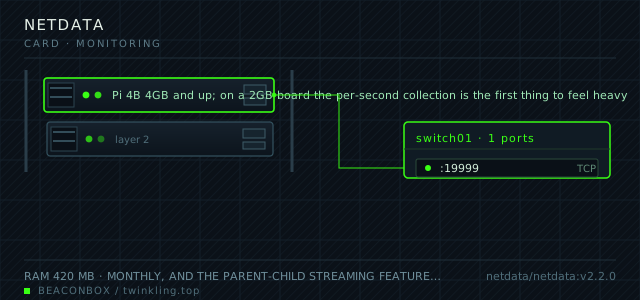
| image | netdata/netdata:v2.2.0 |
|---|---|
| host ports | :19999/tcp |
| volume path | /srv/homelab/netdata/config |
| RAM | 420 MB |
| CPU share | 0.60 vCPU (cpus: "0.60") — it collects every second, which is the product and the cost |
| update cadence | monthly, and the parent-child streaming feature means the update has to be done on every node at roughly the same time if streaming is used |
| arm64 | arm64 native with a built-in collector set that includes the Pi's thermal zones and the throttling flags out of the box |
| host | container | proto | exposed | used for |
|---|---|---|---|---|
| :19999 | 19999 | tcp | LAN only | live dashboards, per-second, with alerts evaluated on the agent |
Deployment steps
Create the three directories and start it once to pull the image
The lib and cache directories are the write-heavy ones and belong on the SSD with everything else, not on the SD card that is also holding the operating system.
run sudo mkdir -p /srv/homelab/netdata/{config,lib,cache} cd /srv/homelab/netdata && docker compose up -d docker logs --tail 20 netdataTurn off the cloud and registry features explicitly
Left alone, the agent registers with the vendor's cloud and reports an inventory of the host. Setting the flag explicitly is different from assuming the default is off.
run docker exec netdata grep -i -E 'cloud|registry' /etc/netdata/netdata.conf || echo 'no override present' # NETDATA_DISABLE_CLOUD=1 is set in the compose file aboveTune the health alarms that fire on a Pi for normal behaviour
The default thresholds are written for a server with more headroom. An alarm that fires every day is an alarm nobody reads, so silence the ones that are noise for this hardware.
run docker exec netdata ls /etc/netdata/health.d | head docker exec netdata tail -20 /var/log/netdata/health.log # edit /etc/netdata/health.d/*.conf and restart to apply
One-second resolution and what it costs
Netdata collects every second and keeps a ring buffer of recent data — an hour of high resolution, then progressively coarser history for a day. That is why it finds the thing that Prometheus smooths away: a container that spikes for two seconds every thirty seconds and looks like a flat line on a thirty-second scrape.
The cost is 420 MB of RAM and a measurable amount of CPU on a Pi. It is the second-heaviest service on this rack, and the reason it is worth it is that the alternative for this resolution is a commercial service that starts at more per month than the whole rack costs to run.
| Netdata | Prometheus | |
|---|---|---|
| resolution | 1 second | 30 seconds |
| history kept | hours at full detail, a day at reduced | 15 days |
| RAM on this rack | 420 MB | 760 MB |
| question it answers | what is happening now | is this trending badly |
| where alerts live | on the agent | in alert rules |
The Pi-specific charts that are worth the install alone
The default collector set on ARM includes the thermal zones and the Raspberry Pi throttling flags, which together answer the question "is this slow because it is hot" without any configuration. The throttling chart is a bitmask and the dashboard decodes it into the words that matter: under-voltage, frequency capped, currently throttled.
The undervoltage flag in particular is the most useful single metric on this rack. A Pi with a marginal power supply shows intermittent throttling, and every other symptom — dropped frames, slow scans, containers that time out — traces back to it.
# the two charts worth pinning to the top of the dashboard
#   sensors.temp       -> per-zone temperature
#   sensors.throttled  -> the bitmask, decoded
vcgencmd get_throttled
# 0x0 means nothing has gone wrong since boot
Streaming and the parent-child setup that is not used here
Netdata can stream metrics from every node to one parent, which is the right design for a fleet of machines. This rack has one machine, so the parent-child configuration is deliberately left off — it would add a configuration surface and a second place for data to live for no benefit.
The day a second Pi joins, the streaming configuration is the reason to pick Netdata over a second Prometheus instance: children stream to the parent with one line in each child's netdata.conf, and no scrape configuration changes.
# on a child, if one is ever added:
# [stream]
#   destination = 192.168.10.20:19999
#   api key = <from the parent's /var/lib/netdata/netdata.api.key>
compose file
Drop the whole file at /srv/homelab/netdata/compose.yaml. Tags are pinned, never latest: rolling back on a Pi is far more work than upgrading.
services:
  netdata:
    image: netdata/netdata:v2.2.0
    container_name: netdata
    restart: unless-stopped
    ports:
      - "19999:19999/tcp"
    environment:
      TZ: Asia/Shanghai
      NETDATA_DISABLE_CLOUD: "1"
    volumes:
      - /srv/homelab/netdata/config:/etc/netdata
      - /srv/homelab/netdata/lib:/var/lib/netdata
      - /srv/homelab/netdata/cache:/var/cache/netdata
      - /proc:/host/proc:ro
      - /sys:/host/sys:ro
      - /etc/os-release:/host/etc/os-release:ro
    cap_add:
      - SYS_PTRACE
      - SYS_ADMIN
    security_opt:
      - apparmor:unconfined
    networks: [rack]

networks:
  rack:
    external: true
Hardening checklist
- the registry and the cloud connection features are disabled, so the agent never reports anywhere but the local dashboard
- the dashboard is on the LAN only, since it has no login by default and is the most detailed view of the host's internals anywhere on the rack
- the container runs with the minimum set of host mounts needed for disk and process metrics, not the full privileged recipe from the documentation
- health alarms are configured to notify through the local notification path rather than email, which would need credentials stored somewhere
Backup plan
the database is a rolling ring buffer of recent metrics and is deliberately not backed up; losing it loses the last hour of graphs. The configuration, the health alarm definitions and the custom collectors are the durable part and are in git.
Verify it went in clean
- The dashboard loads in under two seconds over the LAN and shows live charts updating every second
- The throttling chart shows zero for the whole period since boot, or explains why not
- Killing a container produces a visible step in the containers chart within two seconds
- The cloud and registry features are off, confirmed by the absence of any outbound connection in the container's own network chart
What bit us
- Netdata has no authentication by default. On the LAN behind a proxy with an access rule it is fine; published to the internet it is a complete inventory of the machine handed to whoever finds it.
- The registry and cloud features are on by default in some versions and quietly send an inventory of the host to a third party. Set NETDATA_DISABLE_CLOUD explicitly rather than assuming.
- Per-second collection on an SD card produces continuous small writes that wear it out. Move /var/lib/netdata to the SSD along with the rest of the data, or accept a shorter card life.
- The health alarm defaults are tuned for a server with more resources and will fire on a Pi for normal behaviour. Tune them or turn off the ones that are noise, because an alarm that fires daily is an alarm nobody reads.
Hardware questions
- Netdata or Prometheus if I can only run one?
- Prometheus with Grafana if you want history and trend analysis, because that is what it is for and fifteen days of retention at thirty-second resolution is enough to answer most questions. Netdata if you mainly want to look at the machine right now and have alerts that work without any configuration. On a Pi that can afford both, they are better together than either alone.
- Why does it use more RAM than Prometheus on a smaller retention?
- Because the resolution is thirty times finer and the ring buffer keeps everything in memory with a database written behind it. The memory is proportional to the number of charts and the resolution, not the retention; Netdata trades memory for responsiveness.
- Can it replace Uptime Kuma for notifications?
- Its health alarms can detect most of what Uptime Kuma detects on the same host, but it cannot check an external service or a URL from outside the network. The two coexist here: Uptime Kuma watches the services from the outside, Netdata watches the machine from the inside.