Service card · Files & storage
MinIO as a backup target: S3 on the rack, for the tools that expect it
The backups on this rack go three places: the NAS, an encrypted restic repository, and off-site. MinIO exists because a growing number of backup tools speak S3 and nothing else — restic, Duplicati, the Immich and Nextcloud backup scripts, and the container backup tool that only takes an S3 endpoint. Running it here means those tools get the interface they want without an account anywhere else.
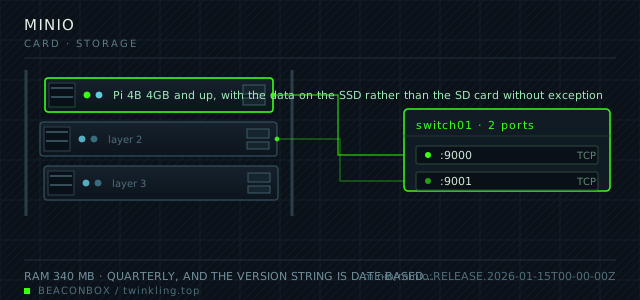
| image | minio/minio:RELEASE.2026-01-15T00-00-00Z |
|---|---|
| host ports | :9000/tcp, :9001/tcp |
| volume path | /srv/homelab/minio/data |
| RAM | 340 MB |
| CPU share | 0.50 vCPU (cpus: "0.50") |
| update cadence | quarterly, and the version string is date-based. The project publishes a community release and the AGPL terms changed once already, so the pinned tag matters more here than anywhere else on the rack |
| arm64 | arm64 native; erasure coding across multiple drives is not used here because a single-drive setup has nothing to code against |
| host | container | proto | exposed | used for |
|---|---|---|---|---|
| :9000 | 9000 | tcp | LAN only | the S3 API that backup tools and applications write to |
| :9001 | 9001 | tcp | LAN only | the web console, used for browsing buckets and issuing access keys |
Deployment steps
Replace the default root credentials before the first start
The image refuses to boot with the documented defaults, which is a deliberate safety feature. Generate both values and never type them into a tool configuration again.
run echo "MINIO_ROOT_USER=rackroot" >> /srv/homelab/.env echo "MINIO_ROOT_PASSWORD=$(openssl rand -base64 32 | tr -d '/+=')" >> /srv/homelab/.env chmod 600 /srv/homelab/.envCreate the buckets with object lock, which cannot be added later
This is the one decision that has to be made before the first byte is written. An existing bucket cannot have object lock enabled afterwards; it has to be recreated and the repository re-initialised.
run cd /srv/homelab/minio && docker compose up -d docker exec -it minio mc alias set rack http://127.0.0.1:9000 "$MINIO_ROOT_USER" "$MINIO_ROOT_PASSWORD" docker exec -it minio mc mb --with-lock rack/restic-rackIssue one scoped key per writing application
A shared credential means any one of the four tools can delete everything. A scoped key turns a full compromise into a contained one, and it costs nothing to set up.
run docker exec -it minio mc admin user add rack immich-backup "$(openssl rand -base64 24)" docker exec -it minio mc admin policy create rack only-immich-dumps /config/policies/immich.json docker exec -it minio mc admin policy attach rack only-immich-dumps --user immich-backup
What actually goes in the buckets
Four buckets with different characters. restic-rack is append-only and holds the encrypted repository that the nightly backup writes to. immich-dumps holds the database dumps that would otherwise be a local file waiting to be forgotten. nextcloud-cold holds the archival export that is only written once a quarter. and tmp-share is exactly what it sounds like — the scratch bucket that tools use as a staging area and that has a lifecycle rule deleting anything older than seven days.
| bucket | written by | versioning | lifecycle |
|---|---|---|---|
| restic-rack | restic on the Pi | enabled, object lock | none, append-only |
| immich-dumps | the Immich backup job | enabled | expire after 30 days |
| nextcloud-cold | a quarterly export job | enabled | none |
| tmp-share | various tools | disabled | expire after 7 days |
Object lock is what makes it a backup
A ransomware process running as the backup user can delete the backup repository. Object locking with a retention period makes those objects immutable for a defined window, so the delete fails and the repository survives.
The caveat is that object lock has to be enabled at bucket creation, not afterwards. This is the single setting worth deciding before the first byte is written, because there is no way to add it later.
mc mb --with-lock rack/restic-rack
mc retention set --default GOVERNANCE 30d rack/restic-rack
mc version enable rack/restic-rack
mc ilm rule add --expire-days 7 rack/tmp-share
One key per writer, and the reason
A single S3 credential shared by four tools means any one of them can read and delete everything. Scoped keys cost nothing and turn a full compromise into a contained one.
Each key gets a policy allowing its own bucket and nothing else — no bucket listing at the account level, no access to the console. The policy files live in the repository next to the rest of the configuration.
mc admin user add rack immich-backup "$IMMICH_S3_SECRET"
mc admin policy create rack immich-dumps-only /config/policies/immich.json
mc admin policy attach rack immich-dumps-only --user immich-backup
The performance conversation, honestly
MinIO on a Pi over a gigabit link and a USB SSD writes around 60 to 90 MB per second, which is fine for nightly backups and completely unsuitable as a primary storage layer for anything latency-sensitive. It is a backup target that speaks S3, not a replacement for the NAS.
Where it earns its place is off-site replication: MinIO can mirror a bucket to another S3-compatible endpoint, which turns a local bucket into a two-location backup with one command rather than a second backup tool.
mc mirror --watch rack/restic-rack remote/restic-rack
# or a scheduled one-way sync instead of the watch loop
compose file
Drop the whole file at /srv/homelab/minio/compose.yaml. Tags are pinned, never latest: rolling back on a Pi is far more work than upgrading.
services:
  minio:
    image: minio/minio:RELEASE.2026-01-15T00-00-00Z
    container_name: minio
    restart: unless-stopped
    command: server /data --console-address ":9001"
    ports:
      - "9000:9000/tcp"
      - "9001:9001/tcp"
    environment:
      TZ: Asia/Shanghai
      MINIO_ROOT_USER: ${MINIO_ROOT_USER}
      MINIO_ROOT_PASSWORD: ${MINIO_ROOT_PASSWORD}
      MINIO_BROWSER_REDIRECT_URL: https://objects.lan
      MINIO_SERVER_URL: https://objects.lan:9000
    volumes:
      - /srv/homelab/minio/data:/data
    healthcheck:
      test: ["CMD", "mc", "ready", "local"]
      interval: 30s
      timeout: 10s
      retries: 3
    networks: [rack]

networks:
  rack:
    external: true
Hardening checklist
- the default root credentials are replaced before the first start; the image refuses to boot with the documented defaults, which is a deliberate safety feature
- one access key per writing application, scoped to a single bucket, so a compromised backup client cannot read another application's bucket
- the console is on the LAN and behind the authentication portal; the S3 API port is reachable only from the containers that write to it
- bucket versioning and object locking are enabled on the bucket that holds the restic repository, which is what makes a ransomware delete recoverable
Backup plan
the buckets hold backup data, so backing them up again would be circular. What is protected instead is the configuration: the access keys, the bucket policies and the lifecycle rules are documented in the repository, and the underlying volume goes to the NAS on the same schedule as everything else.
Verify it went in clean
- A restic backup writes to the restic-rack bucket and restic check validates the repository
- Deleting an object inside the retention window fails with a governance error, which proves object lock is active
- The immich-backup key can write to its own bucket and is refused when it tries to list the others
- The web console shows the four buckets with the expected versioning and lifecycle settings
What bit us
- Object lock cannot be enabled on an existing bucket. If the restic repository was created without it, the bucket has to be recreated and the repository re-initialised, which costs a full backup cycle.
- The root credentials are not the credentials any tool should use. A tool configured with root can delete every bucket, which defeats the point of the scoped keys.
- MinIO on an SD card will destroy the card. This is the most write-heavy service on the rack and belongs on the SSD like the rest of the data.
- The date-based release tags do not follow semantic versioning, and the community edition has had licensing changes. Read the release notes and pin a specific tag rather than tracking latest.
Hardware questions
- Is MinIO necessary if the NAS already does SMB?
- Only if a tool requires S3. SMB is a filesystem protocol and works for anything that mounts a share; S3 is an object API with versioning, object lock and lifecycle rules that a filesystem share cannot offer. The restic repository is the concrete case here: append-only, immutable, versioned, and reachable from a tool that only speaks S3.
- How much overhead does it add compared to a plain directory?
- 340 MB of RAM and one more service to keep patched, and roughly ten percent throughput cost compared to writing to the filesystem directly. The benefit is the API contract: the backup tool does not need to know anything about the rack's filesystem layout, and the bucket can be mirrored elsewhere without changing the tool.
- Can the same volume be the NAS and the MinIO store?
- Physically it can, and it is a bad idea: the point of a backup target is that it survives the failure of the thing it is backing up. If the NAS volume and the MinIO data are on the same disk, a disk failure takes both the data and the backup. This rack keeps them on separate devices with the MinIO data on the Pi's SSD.