Deployment recipe · Secrets & identity
Authelia: one login in front of the services that deserve one
Not every service on this rack needs a second login screen. The ones that hold something — the vault, the documents, the dashboards with hostnames and ports in them — do, and they should not each grow their own user table. Authelia sits behind the reverse proxy, answers one question per request, and keeps a single list of who is allowed to see what.
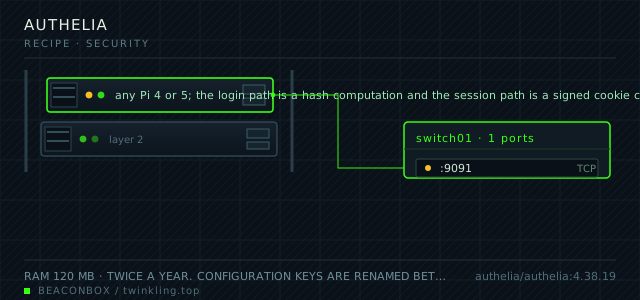
| image | authelia/authelia:4.38.19 |
|---|---|
| host ports | :9091/tcp |
| volume path | /srv/homelab/authelia/config |
| RAM | 120 MB |
| CPU share | 0.25 vCPU (cpus: "0.25") |
| update cadence | twice a year. Configuration keys are renamed between minor versions fairly often, so read the release notes and keep the old config in git before bumping |
| arm64 | arm64 native |
| host | container | proto | exposed | used for |
|---|---|---|---|---|
| :9091 | 9091 | tcp | LAN only | the portal itself and the forward-auth endpoint the proxy calls for every protected request |
Deployment steps
Generate the three secrets before anything else
Session, storage encryption and identity validation JWT are three separate values. They go in files, not in the configuration, and they must not be reused from another installation.
run sudo mkdir -p /srv/homelab/authelia/{config,secrets} for s in session storage jwt; do openssl rand -base64 48 | tr -d '\n' | sudo tee /srv/homelab/authelia/secrets/$s >/dev/null done sudo chmod 600 /srv/homelab/authelia/secrets/*Create the user database with hashed passwords
Every password goes through the container's own hashing command. The displayname and email fields matter because the proxy passes them as headers to the applications behind it.
run docker run --rm authelia/authelia:4.38.19 authelia crypto hash generate argon2 --password 'CHANGE_ME' # users_database.yml: # users: # ada: # displayname: Ada # password: '$argon2id$v=19$m=65536,t=3,p=4$...' # email: [email protected] # groups: [family, admins]Write the configuration with a default deny policy
Start with everything denied, then add the hosts you actually protect one at a time. The order matters: the first matching rule wins, so specific rules go above general ones.
run cat > /srv/homelab/authelia/config/configuration.yml <<'EOF' host: 0.0.0.0 port: 9091 theme: dark session: name: authelia_session domain: lan expiration: 1h remember_me: 30d storage: local: path: /config/db.sqlite3 access_control: default_policy: deny EOFWire the proxy and confirm a redirect happens
Test with a browser that has no session. The expected behaviour is a redirect to the portal with a redirect parameter that brings you back to the page you asked for.
run docker compose up -d authelia docker logs --tail 30 authelia curl -sI https://vault.lan | head -3 # expect a 302 to https://auth.lan/?rd=https%3A%2F%2Fvault.lan%2FEnrol the second factor for every account and check the bypass path
Do the enrolment now rather than when someone first needs the vault. And confirm the monitoring bypass path still works unauthenticated, because a status check that gets redirected to a login page reports the site as up while it is not.
run curl -s -o /dev/null -w '%{http_code}\n' http://192.168.10.20:9110/api/health # expect 200 with no session cookie
How the proxy and Authelia divide the work
On every request to a protected host, the proxy makes a subrequest to Authelia's forward-auth endpoint and copies the answer. A 200 means continue; a 302 to the portal means the browser goes and logs in, comes back, and the proxy asks again.
The important detail is that Caddy, not the application, is enforcing this. The application never sees an unauthenticated request at all, which means a service with a weak login of its own is still protected by the gate in front of it.
# Caddyfile
secure.lan {
  forward_auth authelia:9091 {
    uri /api/verify?rd=https://auth.lan/
    copy_headers Remote-User Remote-Groups Remote-Name Remote-Email
  }
  reverse_proxy cloud:80
}
Rules that say no by default
The access control section is evaluated top to bottom and the first match wins. The safe way to write it is one catch-all deny at the bottom and explicit allows above it, so adding a new host without adding a rule does not accidentally publish it.
Two subjects get different treatment: one_factor for services that hold nothing sensitive, two_factor for the vault and the documents, and bypass only for the health check paths that a monitoring system needs to reach without a session.
# /srv/homelab/authelia/config/configuration.yml
access_control:
  default_policy: deny
  rules:
    - domain: vault.lan
      policy: two_factor
    - domain: cloud.lan
      subject:
        - ["group:family"]
      policy: two_factor
    - domain: status.lan
      resources:
        - "^/api/.*$"
      policy: bypass
    - domain: status.lan
      policy: one_factor
Generating password hashes properly
Authelia stores Argon2id hashes, and the only sane way to produce them is the container's own command, because the parameters must match what the running version expects. Generating them elsewhere and pasting the result is how people end up with a login that always fails and no error message explaining why.
The same applies to the secrets: session, storage encryption and the JWT secret are three separate random values from files, and rotating the storage encryption key requires a migration step rather than a restart.
docker run --rm authelia/authelia:4.38.19 authelia crypto hash generate argon2 --password 'the-password'
# paste the digest into users_database.yml, never the password itself
What the users actually experience
One login at auth.lan, an optional remember-me for thirty days, and after that the portal gets out of the way. The objections to this in a household come from two places: the second factor every time someone wants to look at a photo, and the session expiring while someone is in the middle of something.
Both are configuration. A seven-day session and a remember-me cookie cover the first; the second is what the remember-me flag is for. Set the session lifetime by how much you trust the devices in the house rather than by what the documentation suggests.
# session and regulation settings worth tuning
session:
  expiration: 1h
  inactivity: 5m
  remember_me: 30d
regulation:
  max_retries: 3
  find_time: 2m
  ban_time: 5m
compose file
Drop the whole file at /srv/homelab/authelia/compose.yaml. Tags are pinned, never latest: rolling back on a Pi is far more work than upgrading.
services:
  authelia:
    image: authelia/authelia:4.38.19
    container_name: authelia
    restart: unless-stopped
    ports:
      - "9091:9091/tcp"
    environment:
      TZ: Asia/Shanghai
      AUTHELIA_SESSION_SECRET_FILE: /secrets/session
      AUTHELIA_STORAGE_ENCRYPTION_KEY_FILE: /secrets/storage
      AUTHELIA_IDENTITY_VALIDATION_RESET_PASSWORD_JWT_SECRET_FILE: /secrets/jwt
    volumes:
      - /srv/homelab/authelia/config:/config
      - /srv/homelab/authelia/secrets:/secrets:ro
    networks: [rack]

networks:
  rack:
    external: true
Hardening checklist
- the portal is reachable only from the LAN, and the proxy refuses forward-auth requests that do not come from the proxy itself
- passwords are stored as Argon2id hashes generated by the container's own hashing command, never in the config in plaintext
- the session cookie is signed with a secret from a file, which prevents tampering even if the cookie is intercepted on a shared network
- one rule set per protected host, default deny: a route that is not named in the access control file is not reachable
- two-factor is required for everything except a small bypass list with a written reason for each entry
Backup plan
the configuration directory holds the user database with the password hashes, the secrets and the access rules. It is small and it is in git, with the secrets file as the single excluded path. Losing it means every user re-enrols their second factor, which for a household of four is an evening.
Verify it went in clean
- An unauthenticated request to a protected host redirects to the portal and returns to the original URL after login
- The vault requires the second factor while the status page requires only the password
- A user in the wrong group gets a 403 rather than a login loop, which proves the rule is matching on the group and not just the domain
- Restarting Authelia does not log anyone out, which proves the session secret is stable across restarts
What bit us
- The secrets must not change between restarts. Regenerating the session secret logs everyone out; regenerating the storage encryption key makes the existing user database unreadable, which is a restore rather than a fix.
- Password hashes produced by a different Argon2 implementation with different parameters will fail to verify with no useful error. Always use the container's own hash command for the image version you are running.
- A bypass rule written with a broad path regex is how an authentication gateway ends up protecting nothing. Match on the exact API prefix the monitoring system uses and nothing more.
- The redirect parameter in a forward-auth URL is followed by the browser. Authelia validates it, but a hand-edited value that points somewhere unexpected is worth noticing in the logs during the first week.
Hardware questions
- Is this worth it for a house with four people?
- It is worth it for the number of separate logins it removes more than for the security it adds. Four services each with their own account table is four places to reset a password; one portal with one user list is one. The security benefit is real but secondary — it is that the services behind it can have no login at all.
- Authelia or Authentik or Keycloak?
- Authelia is the smallest and the one that fits a forward-auth proxy pattern best, at the cost of not being a full identity provider — no OIDC flows for applications that want them. Authentik is the middle ground and is heavier but supports more protocols. Keycloak is an enterprise system and belongs in an enterprise.
- What happens if Authelia is down?
- Every protected service behind the proxy returns an error, because the verification subrequest fails. That is the honest failure mode: fail closed. It is worth having the bypass path for monitoring so you learn about the outage from the status page rather than from a family member.