Deployment recipe · Secrets & identity
Vaultwarden: a password vault that lives at home
This is the one service on the rack that would be a real loss if it disappeared, and the only one where the backup matters more than the uptime. Vaultwarden is a compatible reimplementation of the Bitwarden server in Rust: it speaks the same protocol, so the official browser extensions and phone apps work against it, and it uses 90 MB of RAM instead of the official server's several gigabytes.
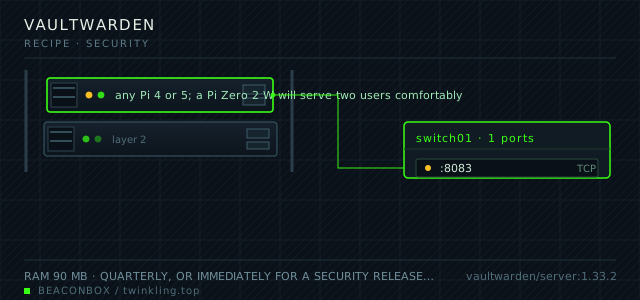
| image | vaultwarden/server:1.33.2 |
|---|---|
| host ports | :8083/tcp |
| volume path | /srv/homelab/vaultwarden/data |
| RAM | 90 MB |
| CPU share | 0.20 vCPU (cpus: "0.20") — Argon2 KDF runs only at login |
| update cadence | quarterly, or immediately for a security release. Vaultwarden tracks the Bitwarden clients, which change their API expectations a few times a year |
| arm64 | arm64 native image; Argon2id login on a Pi 4 takes about 0.6 seconds at the default KDF settings |
| host | container | proto | exposed | used for |
|---|---|---|---|---|
| :8083 | 80 | tcp | LAN only | web vault, the browser extension API and the mobile apps |
Deployment steps
Create the data directory and generate the admin token
The admin page is disabled below, but the token is still used by the CLI for user management. Generate it once into the env file.
run sudo mkdir -p /srv/homelab/vaultwarden/data sudo chown -R 1000:1000 /srv/homelab/vaultwarden echo "VW_ADMIN_TOKEN=$(openssl rand -base64 48)" >> /srv/homelab/.envStart with signups open, create the accounts, then close them
Signups start disabled in the config above because that is the safe steady state. For the initial setup, start it once with SIGNUPS_ALLOWED=true, register both accounts, then set it back and recreate.
run docker compose up -d vaultwarden docker exec vaultwarden /vaultwarden --version # register at https://vault.lan, then: docker compose up -d --force-recreateTurn on two-factor and store the recovery code offline
The recovery code is the only way back in if the phone is lost. Print it, or write it on paper. Storing the recovery code in the vault it protects is the classic mistake.
run # Account settings -> Security -> Two-step login -> Authenticator app # then View recovery code and write it downPoint the clients at it and confirm sync both ways
Set the server URL in the browser extension and the phone app, not just in the web vault. It is the clients that matter — the web interface is the least-used surface of the three.
run # extension -> settings -> self-hosted environment -> https://vault.lan # then add a test entry on the phone and confirm it appears in the extensionPut the nightly dump in place and run one restore
The dump is a tar of the data directory. Run it once by hand, restore it once by hand, and only then put it in cron.
run docker exec vaultwarden sqlite3 /data/db.sqlite3 ".backup '/data/db-backup.sqlite3'" tar czf /srv/homelab/backup/vaultwarden-$(date +%F).tgz -C /srv/homelab/vaultwarden data
Why not just use the hosted free tier
The hosted free tier is genuinely good and there is no shame in using it. The reason to self-host this particular service is that the vault is the thing everything else depends on — the router password, the recovery codes, the SSH keys — and a vault that lives on a machine in your house is a vault you can still open when your phone, your email and your hosting account are all locked out at once.
The corollary is the obligation: the vault backup is the single most important file on this rack. It is backed up nightly, copied to the NAS, and there is a printed copy of the recovery material in a drawer.
Access over the LAN and WireGuard, never the internet
Vault.lan resolves on the LAN and the same hostname resolves through the WireGuard tunnel from outside. Nothing is forwarded at the router, so there is no public login page for the vault — which is the difference between a service that gets probed daily and one that does not get probed at all.
The clients behave well with this: the browser extension caches the vault and syncs when the tunnel is up, and the phone app does the same. The failure mode to know about is adding a password on a plane and having it sync three days later — a real limitation, and the reason the offline export exists.
Argon2 settings and the Pi's login cost
Vaultwarden hashes the vault key with Argon2id at login. On a Pi 4 at the default settings that is about six hundred milliseconds, which is what makes a stolen database expensive to attack and what makes the Pi's CPU spike visible in Grafana for two users logging in.
Raising the KDF iterations makes the vault harder to crack and the login slower for everyone, including every device that has to re-derive the key after an app update. The default is the right trade at this scale; changing it is a decision worth writing down.
docker exec vaultwarden /vaultwarden hash --preset owasp
# generates a new ADMIN_TOKEN hash if you need to rotate it
The restore drill is the real deliverable
A backup of a password vault that has never been restored is a belief, not a backup. The drill takes twenty minutes and should be run twice a year: stop the container, move the data directory aside, restore last night's copy, start it, and log in from a device.
Do it on the same Pi with the production data moved aside rather than on a spare machine. The point is to prove the data directory alone is sufficient, because that is exactly what you will have if the SSD dies.
docker compose stop vaultwarden
sudo mv /srv/homelab/vaultwarden/data /srv/homelab/vaultwarden/data.old
sudo tar xzf /srv/homelab/backup/vaultwarden-$(date -d yesterday +%F).tgz -C /srv/homelab/vaultwarden
docker compose up -d vaultwarden && docker logs --tail 10 vaultwarden
compose file
Drop the whole file at /srv/homelab/vaultwarden/compose.yaml. Tags are pinned, never latest: rolling back on a Pi is far more work than upgrading.
services:
  vaultwarden:
    image: vaultwarden/server:1.33.2
    container_name: vaultwarden
    restart: unless-stopped
    ports:
      - "8083:80/tcp"
    environment:
      TZ: Asia/Shanghai
      DOMAIN: https://vault.lan
      SIGNUPS_ALLOWED: "false"
      INVITATIONS_ALLOWED: "false"
      ADMIN_TOKEN: ${VW_ADMIN_TOKEN}
      SHOW_PASSWORD_HINT: "false"
      ROCKET_PORT: "80"
      SENDS_ALLOWED: "true"
      WEB_VAULT_ENABLED: "true"
    volumes:
      - /srv/homelab/vaultwarden/data:/data
    read_only: true
    tmpfs:
      - /tmp
    security_opt:
      - no-new-privileges:true
    networks: [rack]

networks:
  rack:
    external: true
Hardening checklist
- signups are disabled so nobody can create an account on an instance they found
- the admin panel is disabled entirely; user management happens through the CLI with a token that lives in the env file
- the vault is reachable from the LAN and through WireGuard, never from a forwarded port, because a password manager login page on the public internet is a target
- two-factor is required for both accounts, and the recovery code is printed and stored offline
- the container runs read-only everywhere except its data volume
Backup plan
the SQLite database plus the attachments and sends directories are copied nightly, and a copy also goes into the offline password manager on a phone. The second copy is not paranoia: the entire point of this service is that it holds the credentials you cannot otherwise recover.
Verify it went in clean
- The vault opens from a phone on mobile data through WireGuard and shows an entry added on the LAN
- The web vault login takes around a second on the Pi, which is the Argon2id cost and not a problem
- Last night's archive restores into a running instance and the accounts still log in unchanged
- There is no signup link on the login page and the admin page returns 404
What bit us
- SIGNUPS_ALLOWED left at true is how a self-hosted vault ends up with strangers in it. It defaults to true in the image, which is why it is explicitly set to false here.
- Storing the two-factor recovery code inside the vault it protects means losing the phone and the vault at the same time. Paper, in a drawer.
- The data directory must be writable by the container's uid. A rootless-style read-only setup without the writable volume produces a container that starts and then fails every write with a database error.
- Clients keep a local cache and will happily show a stale vault while the server is unreachable. If a change does not appear on a second device, check the server URL in the client before assuming the server is broken.
Hardware questions
- Is a self-hosted password manager safe?
- It is as safe as the machine and the backup. The threat it defends against — a hosted provider having a breach — is real but rare; the threats it introduces — an unpatched Pi, a forwarded port, a backup on a shared drive — are more likely. Run it on the LAN, keep it patched, keep the backup offline, and it is a net improvement.
- Can the household share passwords with this?
- Yes, through an organisation with collections. Create one organisation, put the shared entries — the wifi password, the streaming logins, the door code — into a collection both accounts can see, and keep personal entries in personal vaults. The recovery codes for the two-factor stay personal and offline either way.
- What happens if the Pi dies?
- You restore the data directory onto a new SD card or SSD, start the container, and every client syncs back from where it was. You can also read the vault without the server at all, because each client keeps an encrypted local copy — the export from the phone app is the escape hatch, and it is worth testing before you need it.